Make Professional Videos from Text in Minutes
Bring your ideas to life by instantly converting any script or plain text into captivating short-form videos for social media.
Generate video from
Describe what you'd like your short video to be about.
The Easiest Way to Make Videos from Text
Why spend hours on complex editing software when you can make videos from text automatically? Flarecut uses advanced AI to understand your script, select relevant visuals, and add professional narration. Whether you have a detailed script or just a rough idea, our tool handles the entire production process for you.
Turn Written Content into Video
Have a blog post or an article that deserves more attention? Use our text to video technology to repurpose your written words into viral shorts. Simply input your text, and Flarecut will create engaging clips that are optimized for high retention on TikTok and YouTube.
Making videos from text is the ultimate hack for content creators. It allows you to multiply your output without increasing your workload, ensuring your message reaches your audience in the format they love most: video.
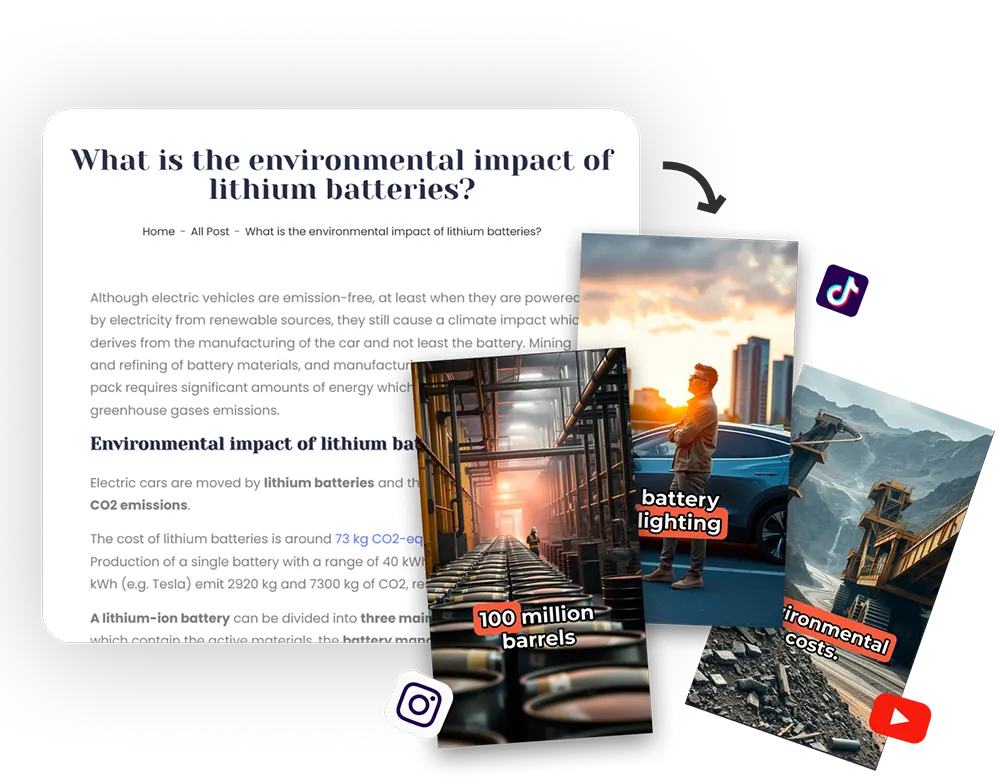
From Script to Screen Instantly
Simply paste your script into Flarecut and watch the magic happen. Our AI text to video generator matches your words with stunning stock footage or AI-generated images, creating a seamless visual experience that keeps viewers hooked.
Perfect for storytelling, educational content, or motivational quotes. You provide the text, and we provide the professional video—complete with natural-sounding AI voices and perfectly timed subtitles.
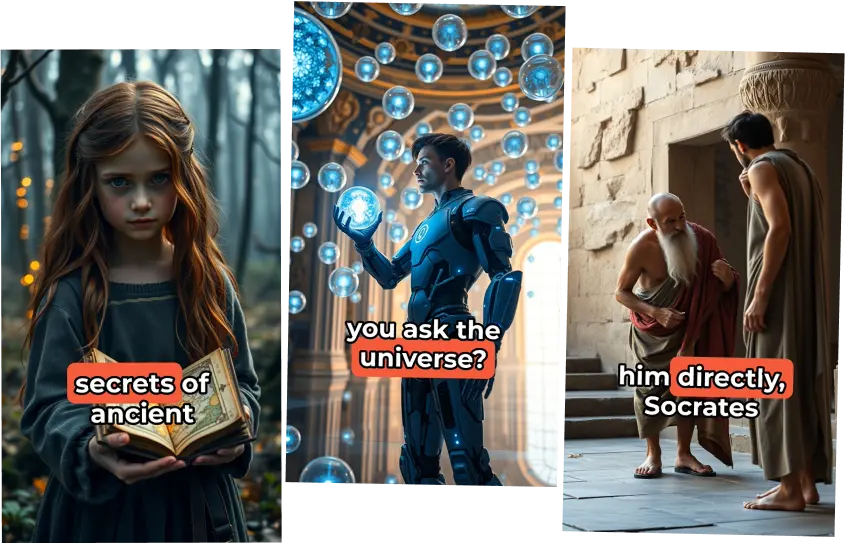
Why Make Videos from Text with Flarecut?
Scale your social media presence by automating the most time-consuming part of content creation. Focus on your message, and let AI handle the visuals.
No Technical Skills Required
You don't need to be a video editor to make professional content. If you can write a text or a script, you can make a video with Flarecut.

High-Retention Visuals
Our AI selects the best images and videos to illustrate your text, ensuring your shorts are visually engaging and designed to stop the scroll.
Natural AI Narration
Every video you make from text comes with a premium AI voiceover. Choose from dozens of voices to find the perfect tone for your story.
Fast and Scalable
Make videos from text at scale. Generate multiple scripts and videos in minutes, allowing you to maintain a consistent posting schedule across all platforms.
Pick the Perfect Voice for Your Text
Our AI text to video tool offers a wide range of natural-sounding voices. Listen to samples and choose the one that best fits your content's mood.
Samples:
Frequently Asked Questions about Making Videos from Text
How do I make a video from text?
Simply paste your script or text into the "Text Description" tab in Flarecut. Our AI will analyze your words, generate a script, and then create a full video with visuals, voiceover, and subtitles automatically.
Can I use my own script to make a video?
Yes! Flarecut is designed to take any script you have and turn it into a professional video. It's the perfect tool for creators who want to see their written stories come to life.
What kind of text works best?
You can use anything from a single sentence idea to a full-page script. Flarecut works best with descriptive text that allows the AI to choose the most relevant visuals for your video.
Is there a limit to how much text I can use?
Our tool is optimized for short-form content (around 60 seconds). If you have a very long text, we recommend breaking it into smaller parts or focusing on the most important points.
Can I edit the video after it's made from text?
Absolutely. You have full control over the final result. You can swap images, change the AI voice, and edit the subtitles to ensure the video perfectly matches your vision.
Learn More About Text to Video
AI Voice Over Youtube Monetization? Everything you need to know
Faceless YouTube channels are an increasingly popular option for creators who want to build a successful YouTube presence...

What are automated Youtube Channels?
What if you could build a successful YouTube channel without ever having to show your face on camera? Sounds intriguing, doesn't it?

How to Grow a Faceless Youtube Channel - Actionable Tips
Growing a successful YouTube channel without ever showing your face is not only possible, but also a thriving trend that allows creators...

For questions, feedback and collaborations
support@podsqueeze.com