Turn blog posts and articles into storytelling videos
Use Link to script to draft from a URL, refine your voiceover, and generate a cinematic 9:16 short — beat-synced visuals, AI narration, and captions for TikTok, Reels, and Shorts.
Idea to script
Video format
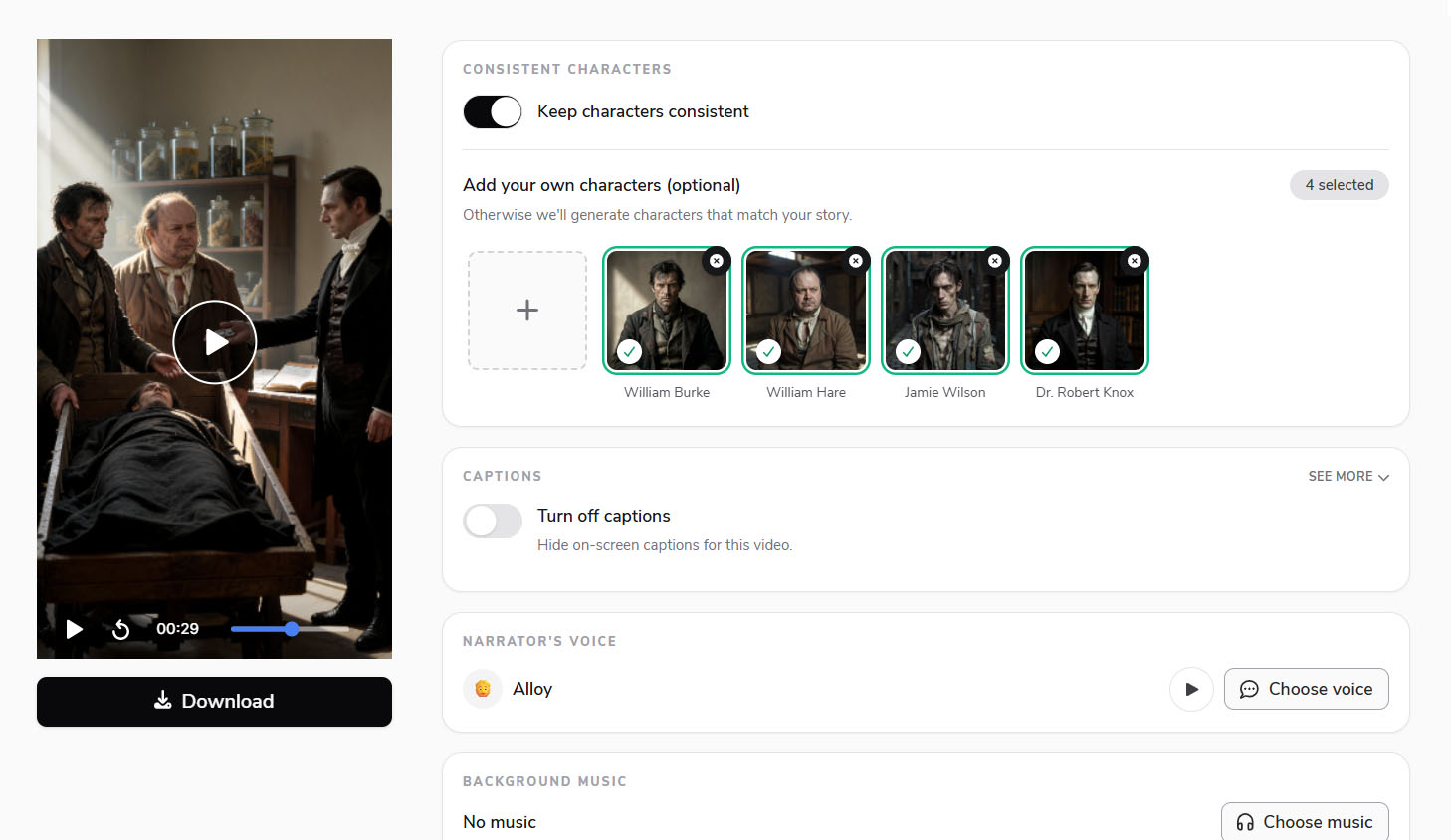
Consistent characters
Art style
Cinematic — Most versatile style for atmospheric and emotionally engaging storytelling
Captions
Hide on-screen captions for this video.
Animation type
Alignment
Narrator's voice
Background music
No music
Turn blog posts and articles into storytelling videos
Use Link to script to draft from a URL, refine your voiceover, and generate a cinematic 9:16 short — beat-synced visuals, AI narration, and captions for TikTok, Reels, and Shorts.




Art direction
Cinematic, Pixar, Ghibli, dark fantasy, and more. Pick a visual world and keep characters consistent with reference images across every scene.
Animate images in one click
Turn any still scene into motion with a single click — no full regenerate, no rebuilding your script.
Expressive voiceover
Choose narrator voices tuned for short-form delivery — synced to real word-level timing, beat by beat.

Captions that retain
Word highlights, karaoke, and placement options designed for vertical retention — readable on a phone without covering the action.
Consistent characters
The same face in every scene
Repurpose long-form articles into video series with characters that stay consistent — auto-generated or from your reference images, scene to scene.
Repurpose written content
From blog post to narrated short
Paste an article URL with Link to script, shape the voiceover, and generate a vertical video — each scene locked to word-level timing so repurposed content keeps viewers on the feed.
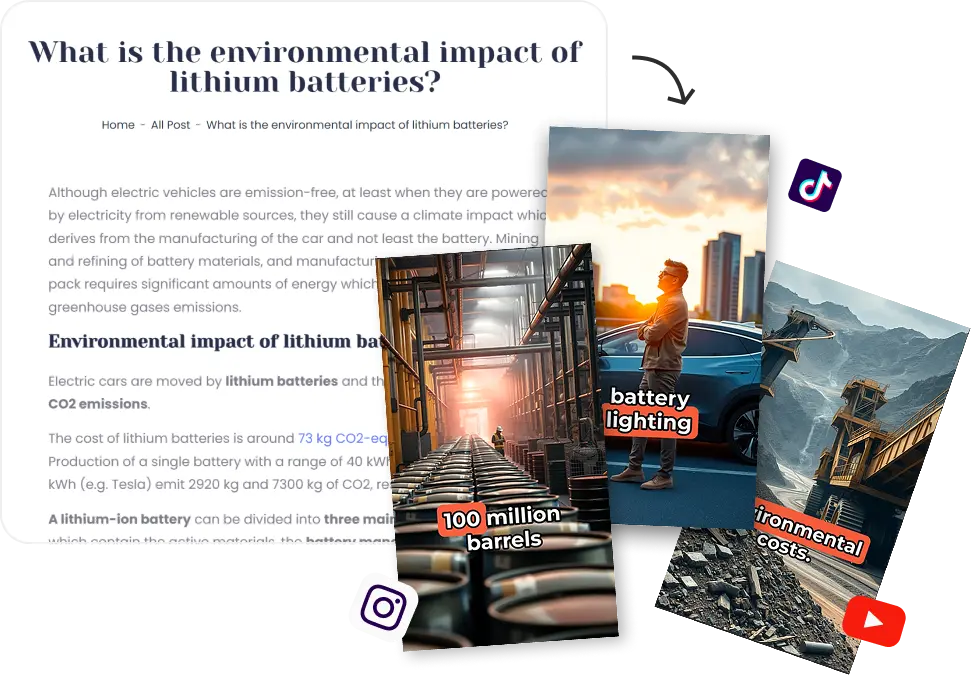
Repurpose articles without the production grind
Bring a blog post, article URL, or finished script — Flarecut turns written content into a voiced, captioned vertical short you can post today. No timeline, no manual B-roll hunt.
Article to post-ready short
Start with Link to script on a URL or paste your voiceover. Flarecut builds scenes, narration, visuals, and captions in one flow — so you're publishing, not editing.
Visuals that match your article
Lock art style, narrator voice, and characters across a content series. Every repurposed article feels like the same channel, not a one-off template.
More shorts from existing archives
Turn evergreen blog posts into a Shorts library in one session. Skip voice sessions and caption passes — spend time on distribution, not production nights.
Storytelling built for repurposing
Beat-synced scenes, expressive voiceover, and retention-tuned captions — the workflow article marketers and faceless creators use to convert text into video.
Article to video — FAQ
Credits are used when you generate videos and AI scenes. Storytelling from AI images and narration typically costs less than realistic AI video — the estimate updates in the generator before you click Generate.
Related storytelling tools you might like:
Repurpose content into video

AI Voice Over Youtube Monetization? Everything you need to know
Faceless YouTube channels are an increasingly popular option for creators who want to build a successful YouTube presence...
How to post short videos on linkedin - Quick steps
LinkedIn has taken steps to become a more dynamic social platform by experimenting with a new short form video feed...
How to make faceless tiktok videos (Expert Tips and examples)
Faceless TikTok videos offer a powerful way to share engaging content while staying behind the camera. Whether you're looking...
Article to video — blog post to Short in one flow.
Link to script from your article, pick a style, and download a voiced, captioned vertical video ready for the feed.
70 starter credits — no card required.