Audio to video generator
Upload your audio and generate a vertical video with matching visuals and synced captions — share on TikTok, Reels, and YouTube Shorts without filming or editing in a timeline.
Audio
Clip selection
Turn off to extract highlight clips (~1 min each) from longer recordings.
Video format
Soundwave
Animated bars synced to your audio. Turn on to show them in preview and export.
Position
Captions
Hide on-screen captions for this video. When on, captions sit above the avatar and follow the voice.
Animation type
Alignment
Turn audio into video people watch on social
Most feeds ignore audio files — this audio to video generator adds visuals, word-level captions, and optional soundwave so your recording works where people actually scroll. Upload your file, choose stock footage or AI scenes, and publish vertical video on TikTok, Reels, and YouTube Shorts.




Visual styles
Choose stock B-roll when talk-style footage fits your audio, or switch to AI image modes with cinematic, illustrated, and other art directions. Every scene follows your transcript so visuals reflect what is being said — not generic filler behind a static waveform.
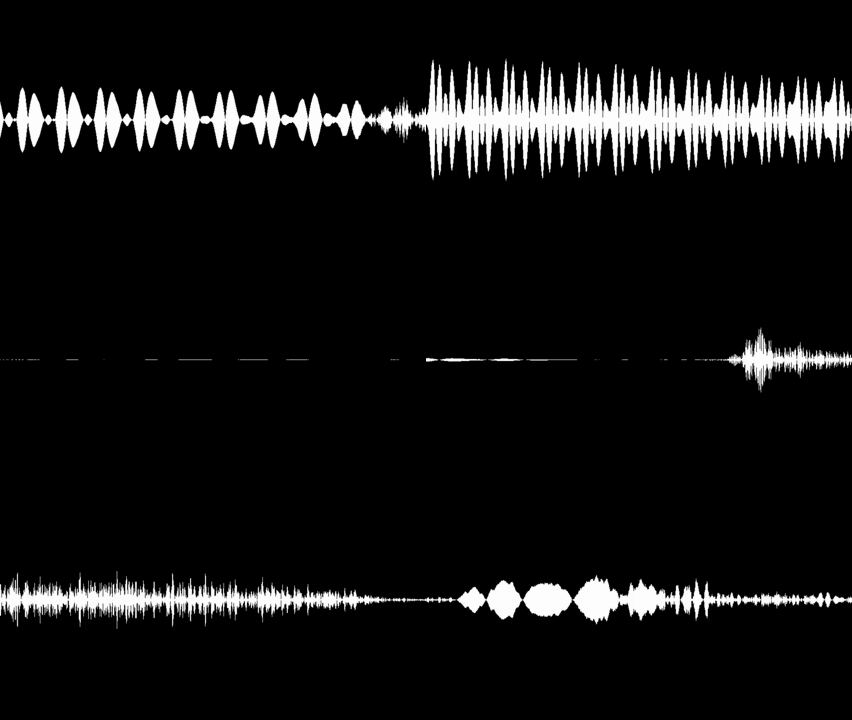
Soundwave overlay
Enable a synced soundwave when you want audiogram-style motion layered on stock or AI visuals. Turn it off for pure B-roll or illustrated edits — the toggle sits in the generator next to captions and clip settings so each export matches the format you need.
The moment everything changed was when…
Nobody expected the host to say this live…
Three lessons from the interview that stuck…
Multiple clips from one audio
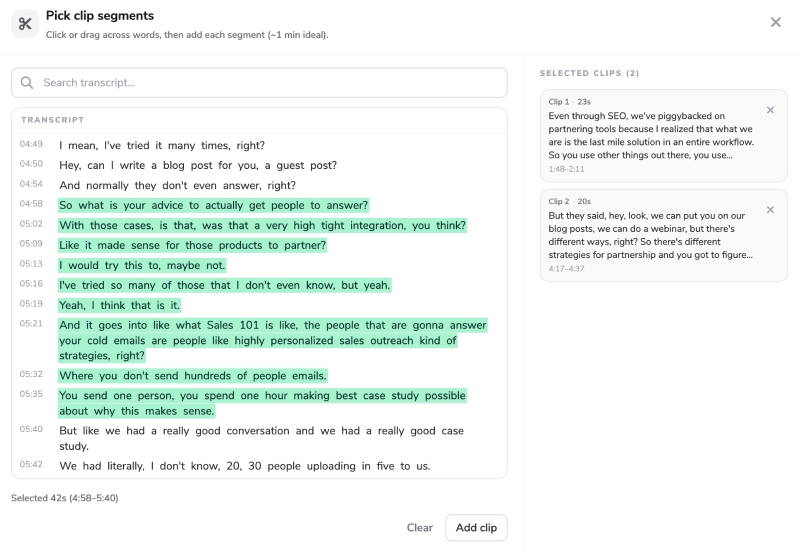
Short clips and longer recordings both work in the same workflow. Upload once, then let AI scan for hooks and quotable lines or open the transcript picker and mark the ranges you want — each selection becomes its own Short without re-uploading the source file.

Captions that retain
Word-level highlight styles, karaoke effects, and vertical placement controls keep captions readable on a phone without blocking the main action. Because transcription drives every line, captions stay synced when you trim segments or batch several exports from one upload.
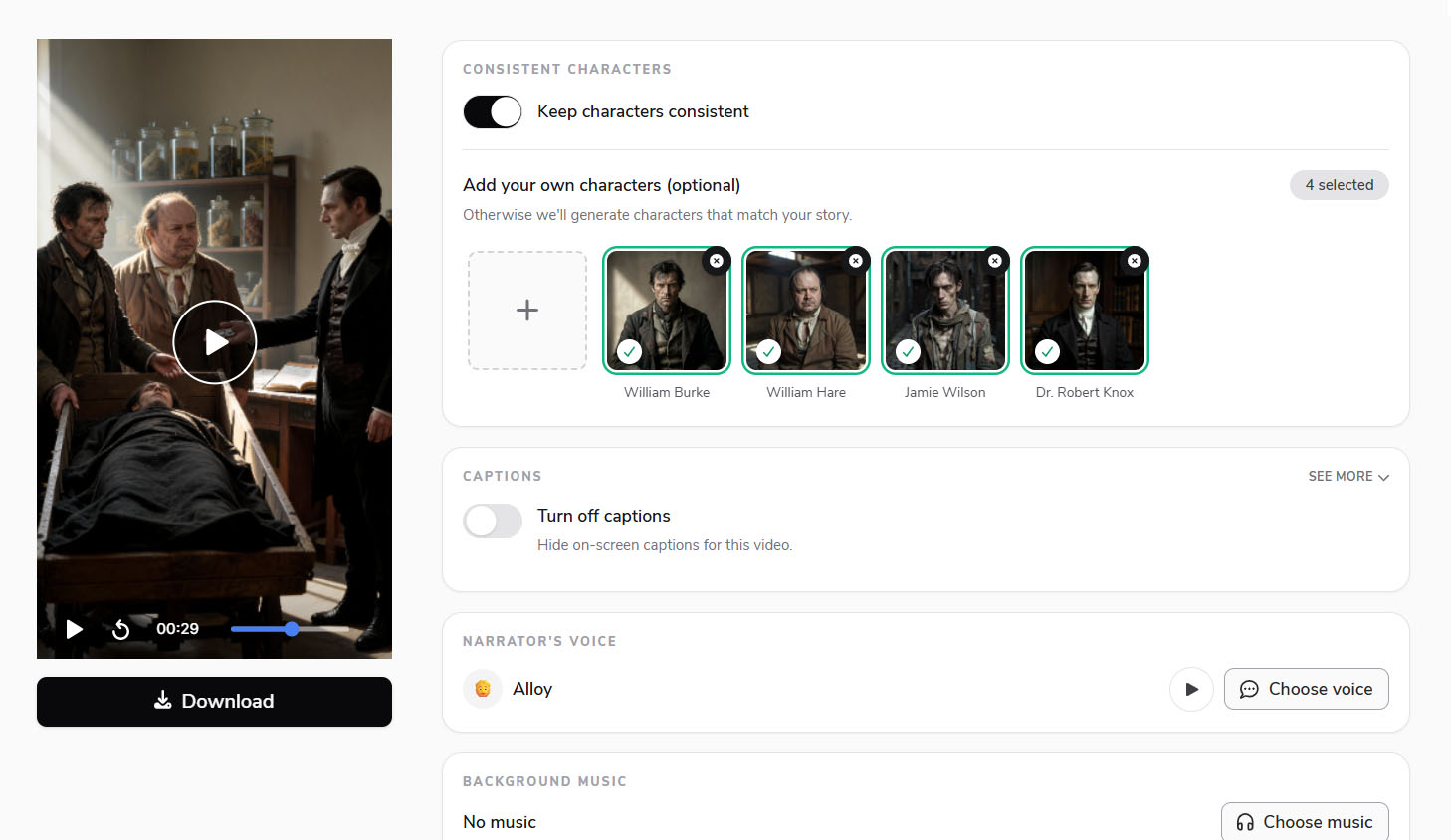
Consistent characters
Illustrate the stories and people in your audio
In AI image mode, visuals come from what is being said — suspects and detectives in true crime, historical figures in a history show, or the same entrepreneur across a business narrative. Flarecut can infer characters from your transcript, or you can upload reference photos so recurring figures stay on-model clip after clip — fictional, historical, or real people you provide yourself.
Transcript-driven workflow
One audio upload, many generated videos
Flarecut transcribes your upload, then extracts clips automatically with AI or from ranges you select on the transcript. Each segment gets stock B-roll or AI images matched to the spoken content, plus synced captions and optional soundwave — ready to publish on TikTok, Reels, and YouTube Shorts without opening an editor timeline.
Audio to video generator — without the edit grind
Skip the timeline, the caption app, and the stock-footage hunt — configure clip extraction and visuals once, then generate Shorts-ready MP4s from audio you already recorded.
AI clip extraction
Describe what to find — hooks, insights, funny lines, or key story beats — and Flarecut segments your upload automatically. Prefer control? Pick ranges on the transcript and generate only the clips you want.
Stock or illustrated visuals
Default stock B-roll keeps talk-style audio fast to publish. Switch to AI images and art styles when you want scenes that illustrate the narrative — true crime re-enactments, historical moments, or recurring characters across a series of Shorts.
Captions and soundwave
Transcription powers word-synced captions on every export, with highlight and placement options tuned for vertical retention. Add an optional waveform overlay when you want extra motion without giving up B-roll or AI scenes.
Same account, more formats
Start with the audio to video generator, then try storytelling, gameplay, or UGC from one wallet — useful when one channel mixes repurposed audio with scripted or product content.
Audio to video generator — FAQ
MP3, WAV, and M4A — up to roughly 200MB per file. Short clips and long recordings are both supported.
Explore the Power of AI Video
AI Voice Over Youtube Monetization? Everything you need to know
Faceless YouTube channels are an increasingly popular option for creators who want to build a successful YouTube presence...
How to make faceless tiktok videos (Expert Tips and examples)
Faceless TikTok videos offer a powerful way to share engaging content while staying behind the camera. Whether you're looking...
How to Grow a Faceless Youtube Channel - Actionable Tips
Growing a successful YouTube channel without ever showing your face is not only possible, but also a thriving trend that allows creators...
Try the audio to video generator today
Upload your audio, configure clips and visuals, and generate your first Short — free credits to start.
70 starter credits — no card required.