Voice recording to video
Turn a voice recording into vertical video with visuals and synced captions — no camera, no editing timeline, ready to post on TikTok, Reels, and YouTube Shorts.
Audio
Clip selection
Turn off to extract highlight clips (~1 min each) from longer recordings.
Video format
Soundwave
Animated bars synced to your audio. Turn on to show them in preview and export.
Position
Captions
Hide on-screen captions for this video. When on, captions sit above the avatar and follow the voice.
Animation type
Alignment
Voice recording to video — without a camera
You already have the audio — upload a memo, interview, or any spoken recording and get vertical video with matching visuals and captions for platforms that never show raw audio files in the feed.


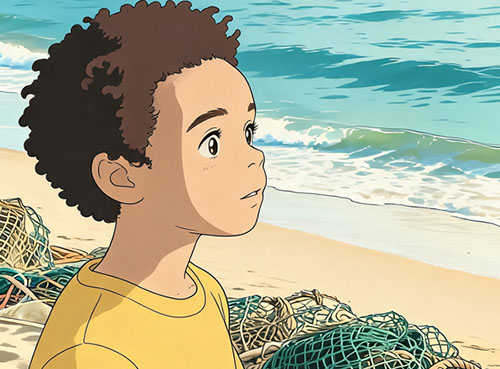

Visual styles
Stock B-roll fits explanatory or interview recordings; AI image modes illustrate what the speaker describes — people, places, and events from the narrative — with art styles that match documentary, cinematic, or illustrated looks synced to your transcript.
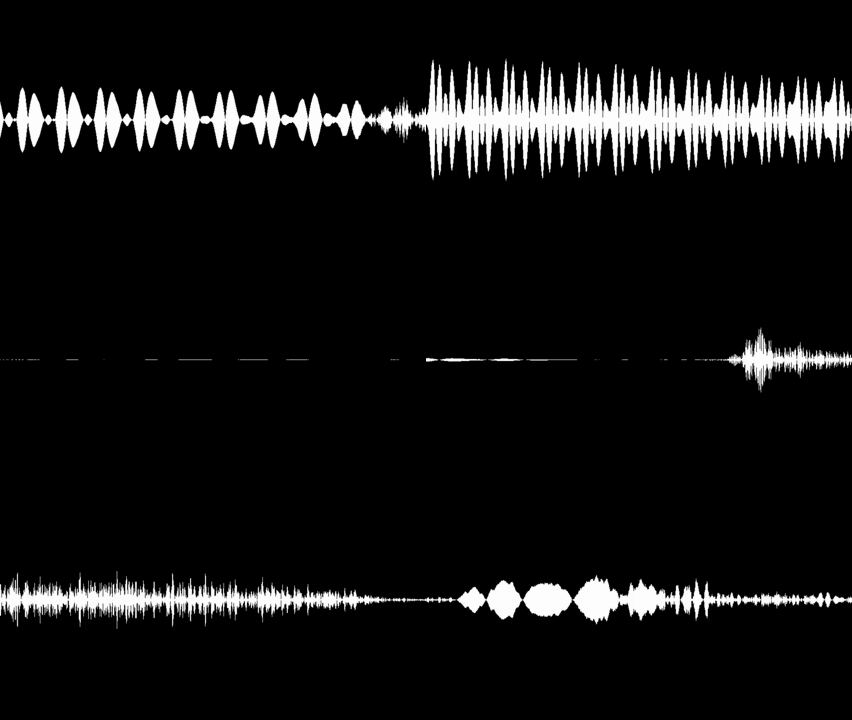
Soundwave overlay
Optional waveform adds motion to voice-only content on visual feeds — enable it for audiogram-style clips or disable it when stock B-roll and illustrated scenes carry the full frame.
The moment everything changed was when…
Nobody expected the host to say this live…
Three lessons from the interview that stuck…
Multiple clips from one audio
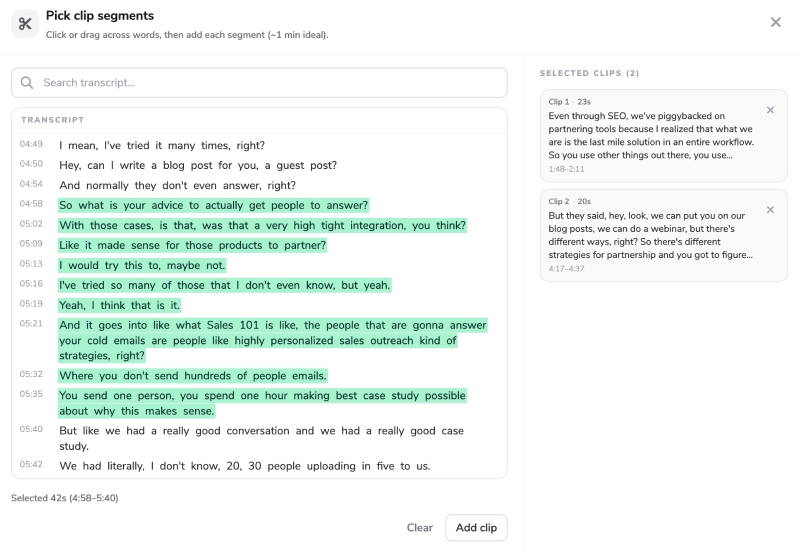
A single voice recording can yield several Shorts — AI surfaces quotable lines and story beats, or mark transcript ranges yourself. Short memos and longer interviews use the same voice recording to video pipeline.

Captions that retain
Word-level highlights make spoken content readable on mute — essential when discovery happens through scrolling. Caption placement and animation styles adjust for vertical safe zones so dialogue stays legible over visuals.
Consistent characters
Visualize what the recording describes
Voice recordings often tell stories about people — a case subject in true crime, a historical leader, or the same founder in every chapter of a business interview. AI image mode builds scenes from that narrative, or upload reference photos so recurring characters look consistent across every clip you generate from the recording.
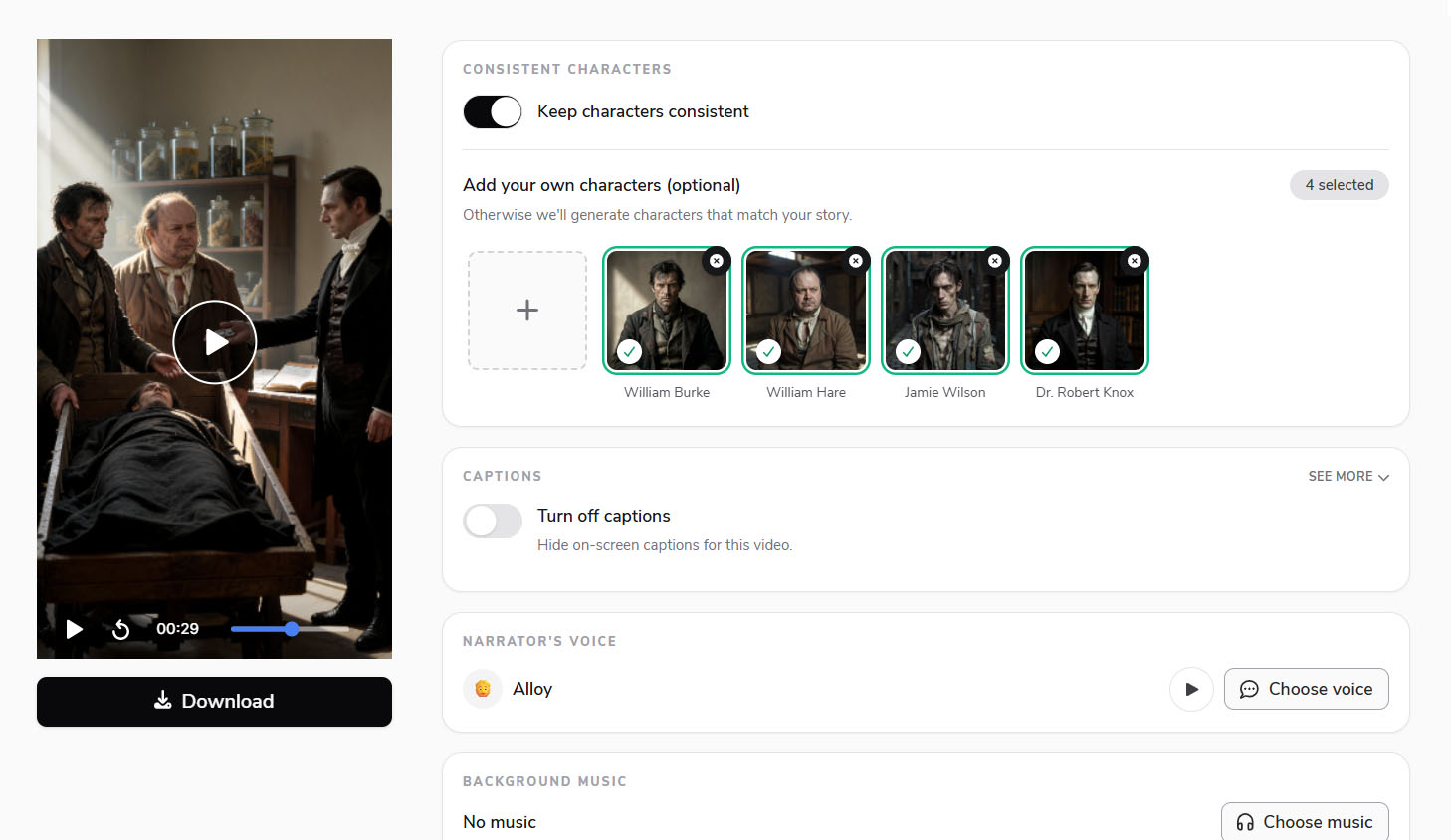
Recording to clip workflow
From voice recording to finished Shorts
Flarecut transcribes your upload, finds clips with AI or from transcript selections you make, and adds stock B-roll or AI images matched to what is being said — captions and optional soundwave included — ready for TikTok, Reels, and YouTube Shorts without a camera or editing timeline.
Voice recording to video — no studio required
You already captured the audio — Flarecut handles transcription, narrative visuals, captions, and export in one voice recording to video flow.
Works with real recordings
Voice memos, Zoom exports, interview WAVs, and podcast MP3s — upload what you have, short or long, and generate clips from the transcript.
Transcript-first clipping
Read the transcript, pick the lines that matter, or let AI propose segments — each clip becomes a standalone Short with its own visuals and captions.
Visuals plus captions
Stock or AI scenes illustrate the content of the recording, not just the speaker's face — paired with synced captions for muted feeds.
Optional waveform
Add soundwave motion when you want audiogram-style energy on voice-only clips, or skip it for visuals-first exports.
Voice recording to video — FAQ
MP3, WAV, and M4A — interviews, memos, lectures, and narrative audio up to roughly 200MB.
Related audio tools you might like:
Explore the Power of AI Video
AI Voice Over Youtube Monetization? Everything you need to know
Faceless YouTube channels are an increasingly popular option for creators who want to build a successful YouTube presence...
How to make faceless tiktok videos (Expert Tips and examples)
Faceless TikTok videos offer a powerful way to share engaging content while staying behind the camera. Whether you're looking...
How to Grow a Faceless Youtube Channel - Actionable Tips
Growing a successful YouTube channel without ever showing your face is not only possible, but also a thriving trend that allows creators...
Turn your voice recording into video
Upload spoken audio, pick clips, and generate Shorts — free credits to start.
70 starter credits — no card required.