Waveform video maker
Turn audio into waveform videos with synced motion, captions, and optional visuals — shareable clips for TikTok, Reels, and Shorts, not just a sound bar on a blank screen.
Audio
Clip selection
Turn off to extract highlight clips (~1 min each) from longer recordings.
Video format
Soundwave
Animated bars synced to your audio. Turn on to show them in preview and export.
Position
Captions
Hide on-screen captions for this video. When on, captions sit above the avatar and follow the voice.
Animation type
Alignment
Waveform videos built for social feeds
A waveform video maker should do more than animate a bar — upload your audio and export vertical video with synced soundwave, captions, and stock or AI scenes so spoken content survives muted scrolling on TikTok, Reels, and Shorts.




Visual styles
Layer waveform motion over stock B-roll for talk-style audio, or use AI art styles when the recording describes people and events worth showing — narrative moments, historical scenes, or recurring characters across a series of waveform posts.

Soundwave overlay
Amplitude-synced waveform animation is the centerpiece of every export — styled for vertical social with layout that leaves room for captions and optional B-roll or AI scenes underneath or beside the wave.
The moment everything changed was when…
Nobody expected the host to say this live…
Three lessons from the interview that stuck…
Multiple clips from one audio
One recording can become several waveform videos — AI finds peak moments in the transcript, or select ranges manually to batch exports. Each clip keeps its own waveform segment, captions, and matching visuals without re-uploading.

Captions that retain
Highlighted captions run alongside the waveform so viewers catch the message with sound off — critical on TikTok and Reels where most users scroll muted. Transcription keeps timing accurate when you split one file into multiple waveform clips.
Consistent characters
Waveform videos that show the story, not just the wave
Spoken audio often describes people and events — true crime subjects, historical figures, or a recurring protagonist in a business story. AI image mode visualizes that narrative while the waveform plays, or upload reference photos so the same character appears consistently across a series of waveform videos you publish from one source file.
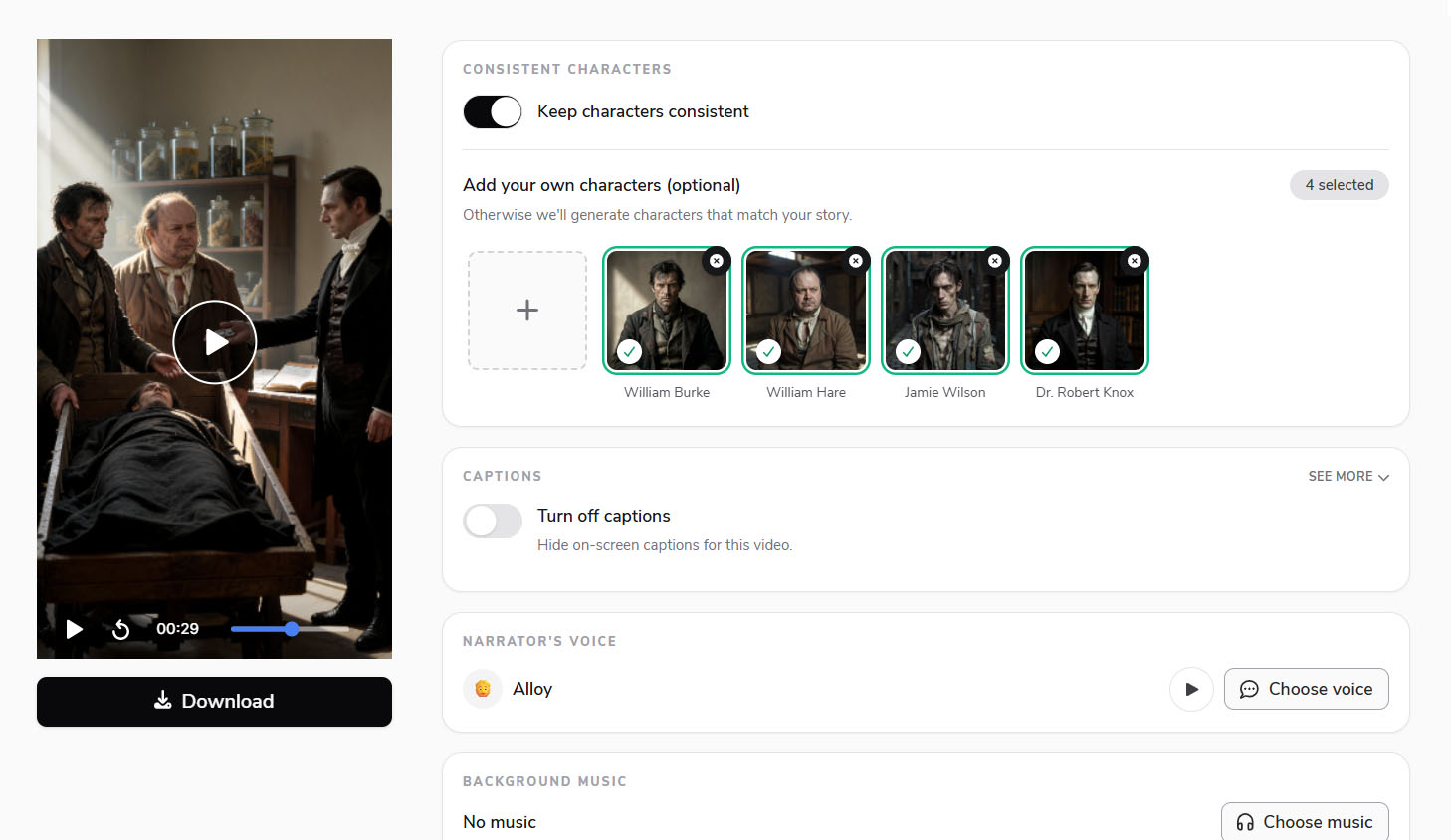
Waveform plus transcript
From audio file to a set of waveform videos
Flarecut transcribes your upload, extracts segments with AI or from transcript picks you make, and renders each clip with waveform, captions, and visuals tied to the spoken content — export-ready for TikTok, Reels, and YouTube Shorts without motion-graphics software.
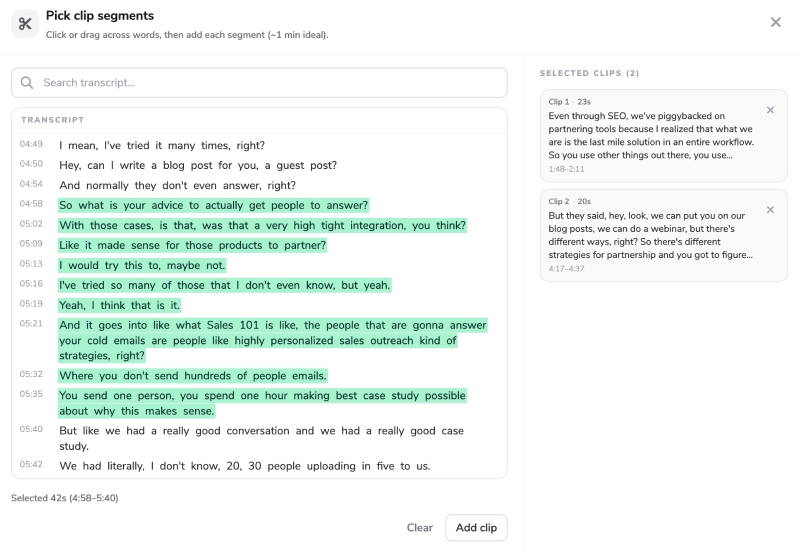
Waveform video maker — with the visuals social expects
Pure waveform tools stop at the bar animation — this workflow adds captions, narrative visuals, and multi-clip export from one audio file.
Synced soundwave animation
Waveform pulses with speech and amplitude on every export — combine with full-scene visuals or lead with the wave depending on the clip format you want.
Captions included
Transcription drives readable, highlighted captions so waveform videos perform when autoplay is silent — a second retention layer beyond motion alone.
Stock and AI backgrounds
Illustrate what the audio describes with B-roll or AI scenes — especially for narrative content where the waveform alone does not convey the story.
Multiple exports per upload
AI or manual transcript clipping turns one recording into several waveform videos for a week of posts.
Waveform video maker — FAQ
Spoken audio is the primary use case — podcasts, interviews, narratives — with waveform plus captions and optional illustrated scenes.
Related audio tools you might like:
Explore the Power of AI Video

AI Voice Over Youtube Monetization? Everything you need to know
Faceless YouTube channels are an increasingly popular option for creators who want to build a successful YouTube presence...
How to make faceless tiktok videos (Expert Tips and examples)
Faceless TikTok videos offer a powerful way to share engaging content while staying behind the camera. Whether you're looking...
How to Grow a Faceless Youtube Channel - Actionable Tips
Growing a successful YouTube channel without ever showing your face is not only possible, but also a thriving trend that allows creators...
Make your waveform video today
Upload audio, sync the wave, add captions and visuals — free credits to start.
70 starter credits — no card required.